 Maple Byte
Klenzo — PC Cleaner
A simple, private PC cleaner for Windows. Free up space, manage startup, uninstall apps, and check drivers — nothing leaves your PC.
Free · Version 1.5.1 · Windows 10 and 11 (64-bit)
What it does
Klenzo keeps PC cleaning simple. No scare tactics, no ads, no popups — it shows you what it found, and you choose what to clean.
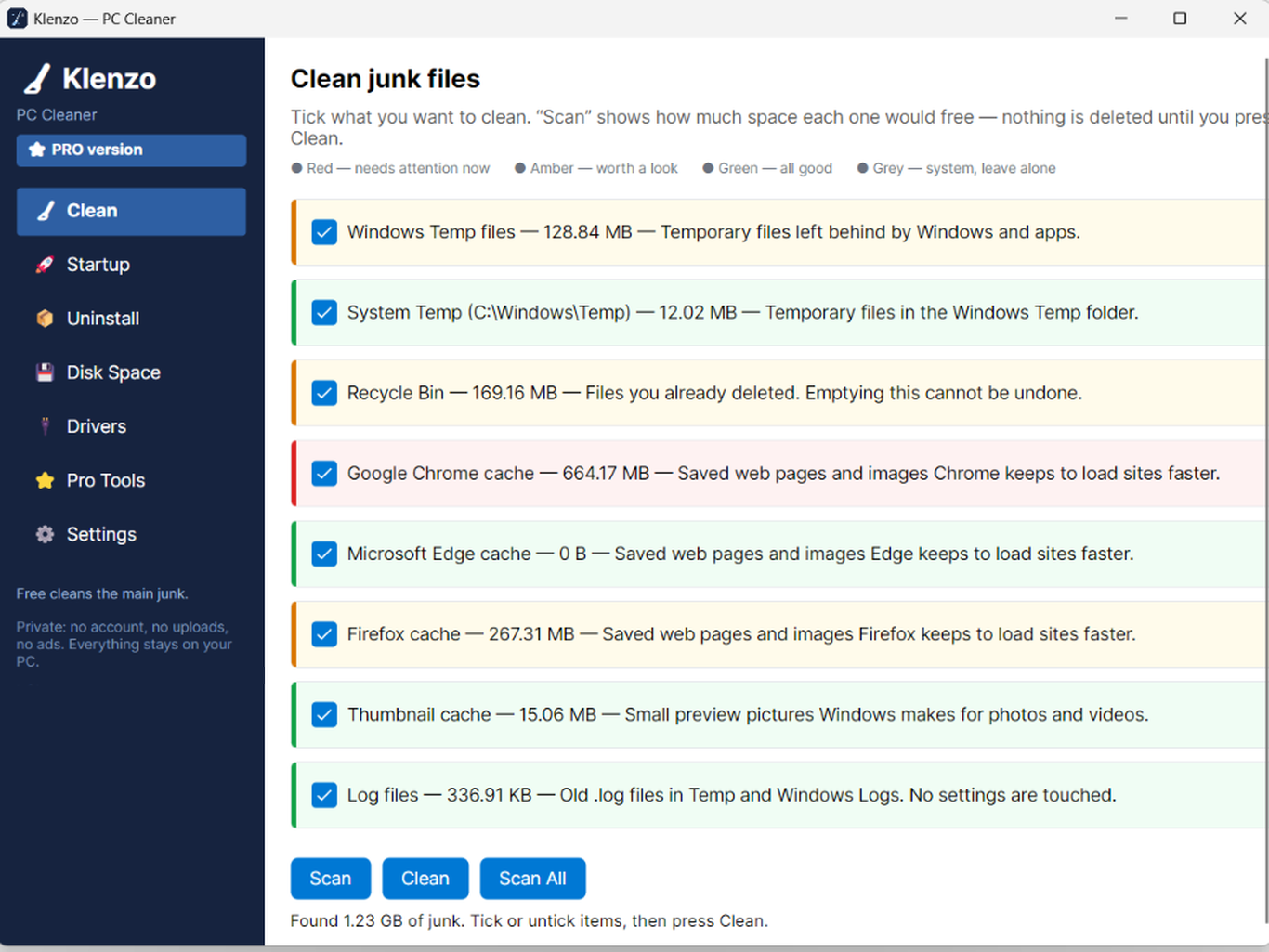
Clean junk files
Clear temporary files, the recycle bin, and browser cache. Klenzo shows how much space it will free before it deletes anything, so there are no surprises.
Manage startup apps
See which programs run when your PC starts, and turn off the ones slowing you down. Turning one off does not delete it — you can turn it back on any time.
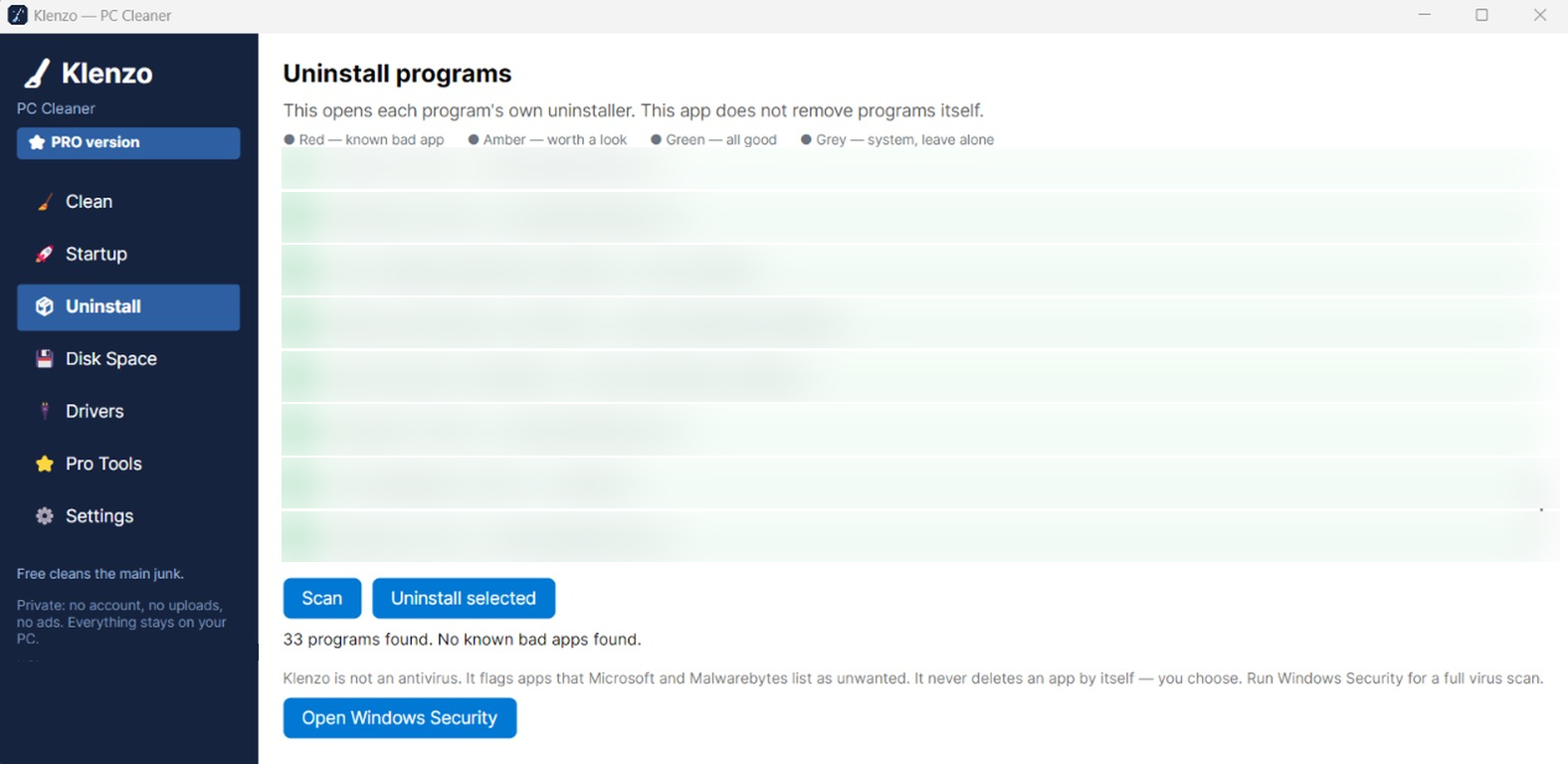
Uninstall apps you no longer need
See every program on your PC in one list. Klenzo flags apps that Microsoft and Malwarebytes list as unwanted, so you can spot the bad ones at a glance. It opens each program’s own uninstaller — it never deletes an app by itself.
Find your biggest files
See the biggest folders and files on any drive, so you know exactly what is taking up your space.
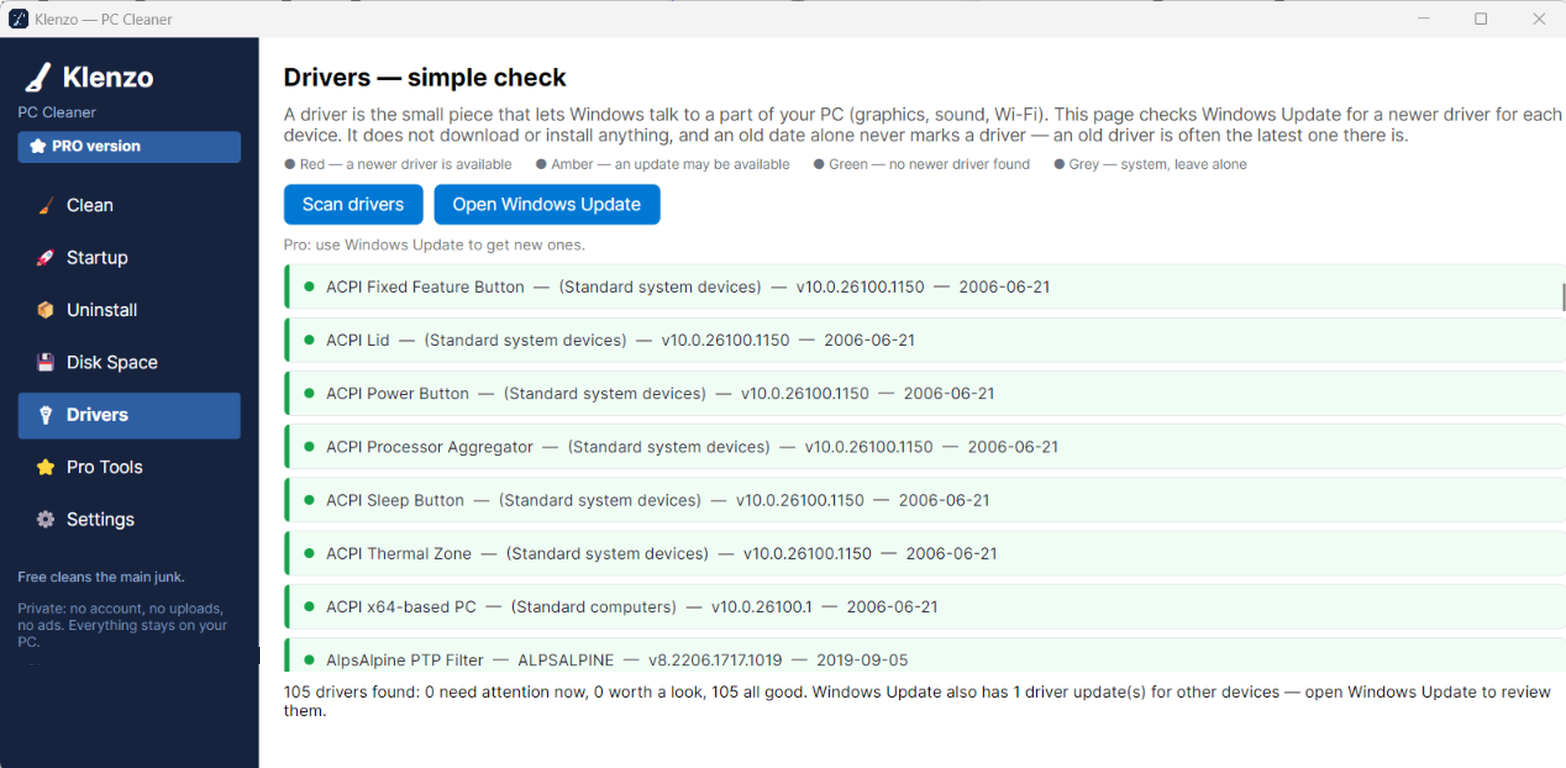
Check drivers
See the status of your drivers at a glance, with plain words about what needs attention and what is fine.
Also included
- Scan everything at once, or one tool at a time
- Pro Tools (auto-clean, deep clean, duplicate finder, registry clean with backup, secure wipe, and driver flags) — in the app now, locked for the moment, and coming in a future update
- No account, no sign-in, nothing to configure
Screenshots
Take a look inside.
Privacy
Klenzo works entirely on your PC.
Everything Klenzo reads stays on your own computer. There is no account, no sign-in, no server, no analytics, and no ads. Nothing is ever uploaded or sent anywhere.